title: Manage description: Manage holds the settings and lists that support the rest of WhatsApp: chat rules, opt-in words, saved replies, your team, tags, schedules, logs and more. A guide for every task in WhatsApp Manage.
Manage
Manage holds the settings and lists that support the rest of WhatsApp: chat rules, opt-in words, saved replies, your team, tags, schedules, logs and more.
Where to find it: open WhatsApp in the left rail, then select Manage.
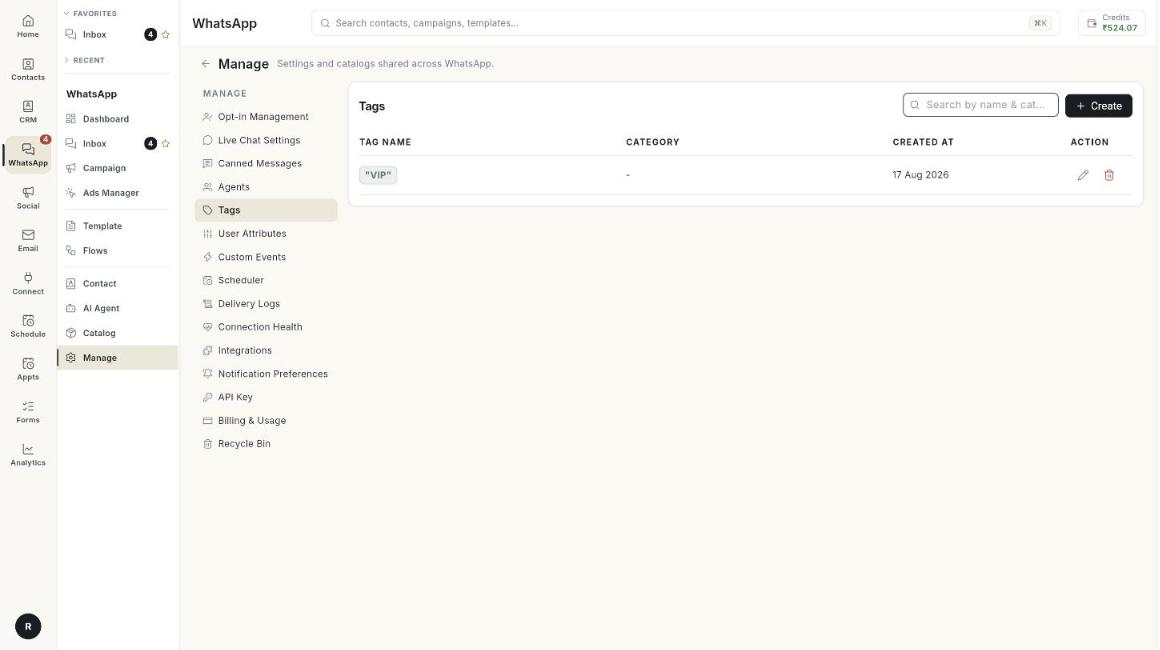
Guides
| Guide | Use it when |
|---|---|
| Opt-in Management | You want to set the words that opt people in or out. |
| Live Chat Settings | You want auto-replies, working hours and handoff rules. |
| Canned Messages | You want saved replies your team can insert with /. |
| Agents | You want to add teammates to WhatsApp. |
| Tags, User Attributes and Custom Events | You want to label contacts or store extra details. |
| Scheduler and Delivery Logs | You want to see scheduled messages or check delivery. |
| Connection Health | You want to know if your number is working. |
| Integrations | You want to connect other services. |
| Notification Preferences | You want to choose which WhatsApp events notify you. |
| API Key and Cloud API access | You want help to connect your number to the Meta Cloud API. |
| Billing and Usage | You want to see what Meta charges. |
| Health, alerts and billing | You want one overview of health, alerts and billing. |
| Media Library | You want to see the media your account stores, or free space. |
| Recycle Bin | You deleted something and want it back. |
Before you start
- Your WhatsApp number is connected to Ohanvi. See Connect your WhatsApp number.
- Your role has access to this screen. If you do not see it, ask your admin.